Install Ubiquiti UniFi Controller on Ubuntu 12.04
sudo apt-key adv –keyserver keyserver.ubuntu.com –recv 7F0CEB10
Add the 10gen repository to /etc/apt/sources.list:
sudo apt-key adv –keyserver keyserver.ubuntu.com –recv 7F0CEB10
Add the 10gen repository to /etc/apt/sources.list:
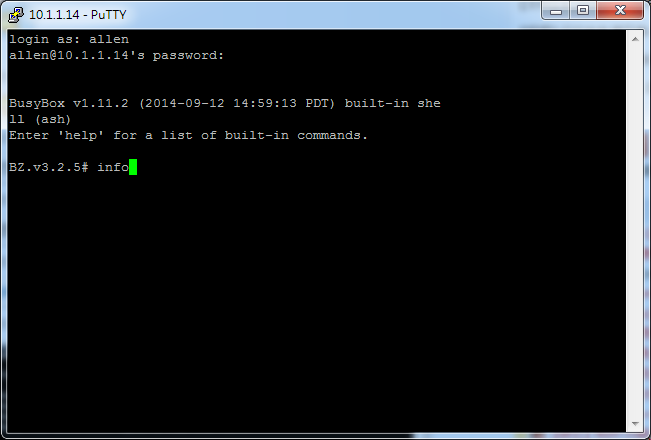
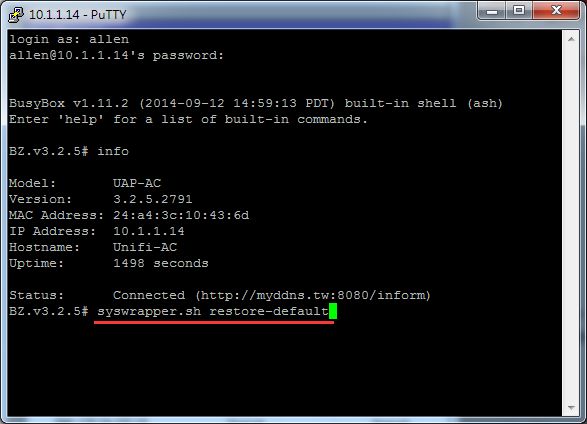
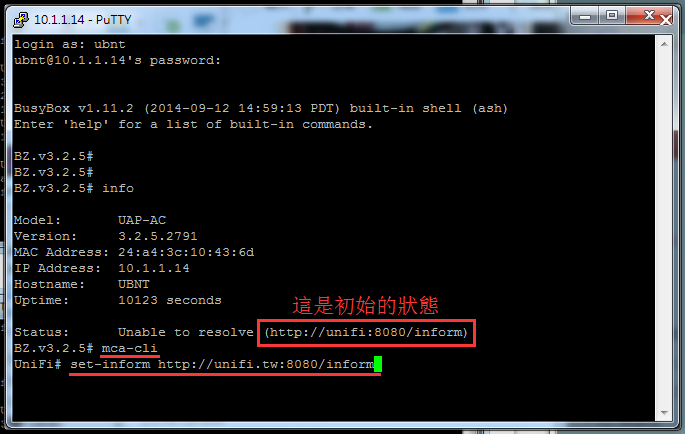
下圖不是叫你登入10.1.1.14, 你自己要想辦法知道你自己的uap ip是多少!


因此必須要透過vpn,才能順利的使用WinBox操作你的ROS.
先照著下面圖片設定你自己的ROS讓它能連上我的伺服器,成功連線後再告知我.
(等問題協助處理完成後再自行刪除此連線設定即可)
操作方式如下…

Name 打 help 即可
1的位置填入 aliyun.ros.tw (深圳阿里雲機房)
2的位置填入 help 四個英文字 
3的位置填入 help 四個英文字 
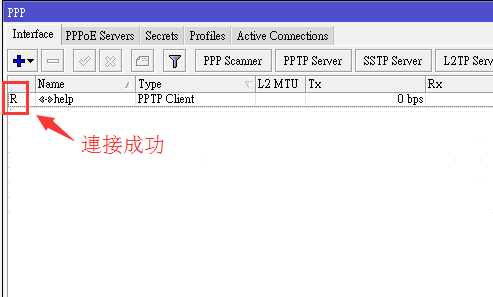
全部填好之後在4的地方按一下,會看到最底下連線成功的英文字
R表示註冊連線成功


這裡介紹最簡單的二地透過PPTP-VPN互連的教學 相關ip範例參數如下圖
1. A跟B二個不同地方,其中A點當PPTP-VPN SERVR , B點當PPTP-Client.
2. A點的RouterOS先自行設定好要當PPTP-VPN SERVR的功能.
3. B點的RouterOS新增一個PPTP-Client 連線到A點.
當B點的筆電要連到A點底下的電腦時 , B點的 RouterOS需先設定路由表告訴目的地該如走.
如下
以上這樣即可從B點的筆電連到A點底下的電腦.
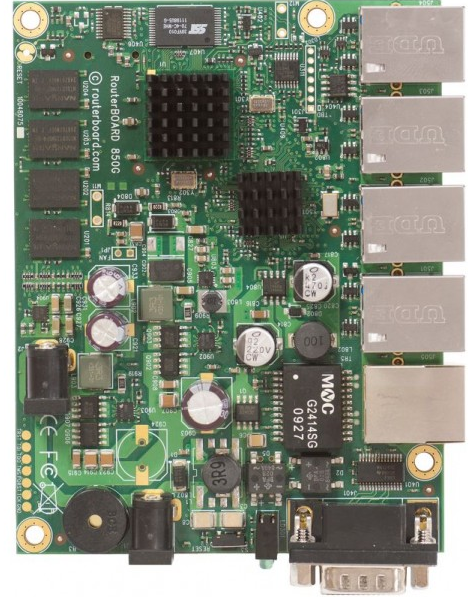
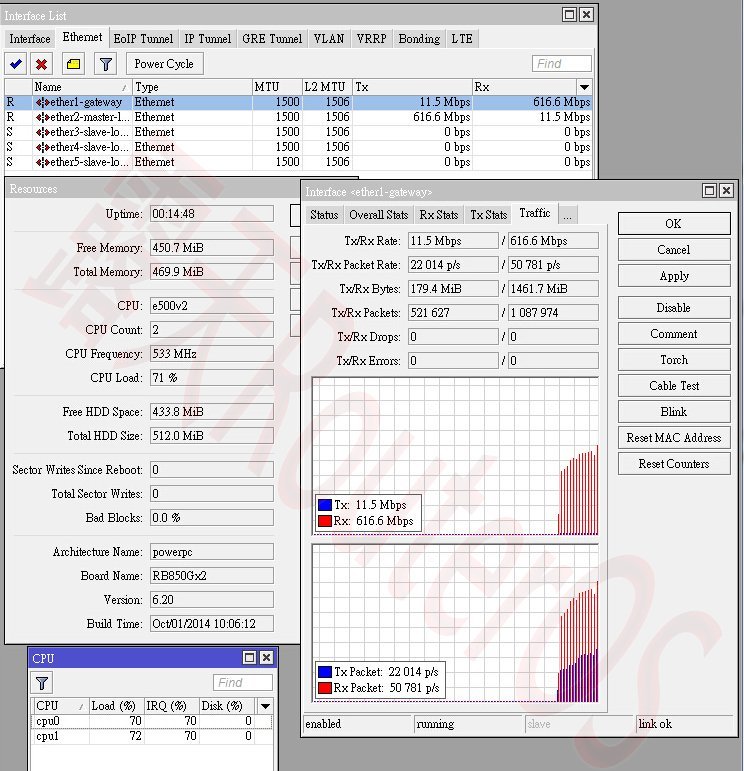
The RB850Gx2 is a five port Gigabit ethernet router. Comparing to the RB450G, the RB850Gx2 is much faster, with a dual core CPU, yet it still retains the same form factor, and will fit into the same enclosures.
The device is powered by a 500MHz P1023 PPC CPU, and also includes a temperature sensor and voltage monitor.
| Details | |
|---|---|
| Product code | RB850Gx2 |
| CPU nominal frequency | 500 MHz |
| CPU core count | 2 |
| Size of RAM | 512 MB |
| Architecture | PowerPC |
| 10/100 Ethernet ports | 0 |
| 10/100/1000 Ethernet ports | 5 |
| MiniPCI slots | 0 |
| MiniPCI-e slots | 0 |
| Wireless chip model | None |
| Number of USB ports | 0 |
| Memory Cards | 1 |
| Memory card type | microSD |
| Power Jack | 2 |
| 802.3af support | No |
| PoE out | No |
| PoE in | Yes |
| Supported input voltage | 5 V – 30 V |
| Voltage Monitor | Yes |
| PCB temperature monitor | Yes |
| CPU temperature monitor | Yes |
| Dimensions | 90mm x 115mm |
| Operating System | RouterOS |
| License level | 5 |
| Antenna gain DBI | No |
| Current Monitor | No |
| CPU | P1023NSN5CFB |
| Max Power consumption | 8 W |
| SFP ports | 0 |
| SFP+ ports | None |
| Number of chains | 0 |
| Serial port | RS232 |
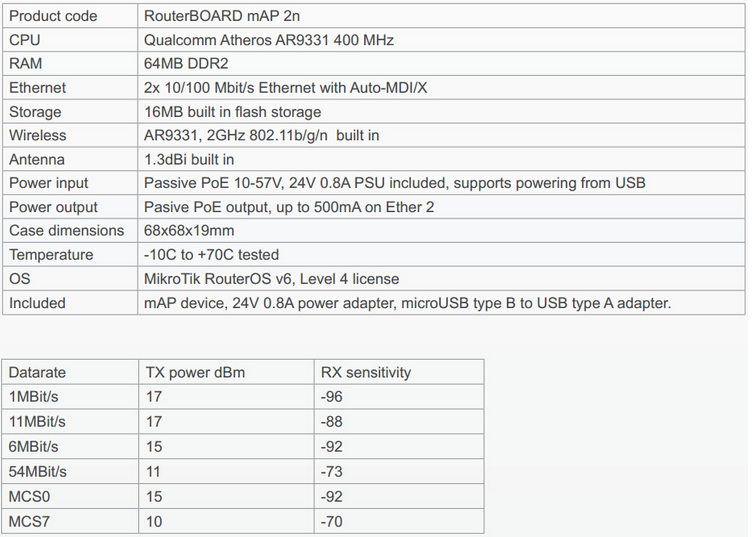
最大發射功率17Dbm