
用ssh登入EdgeRouter

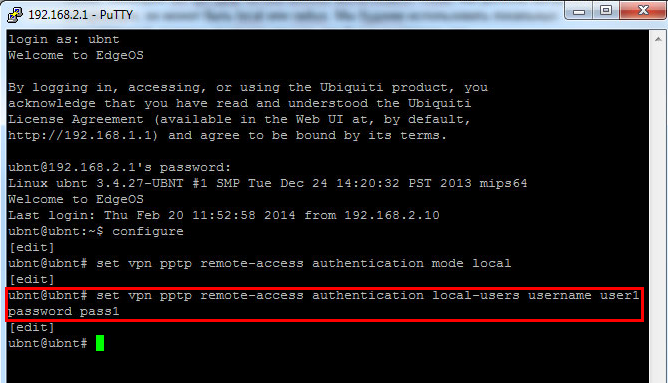
pptp設定參考底下命令
1.進入設定模式
ubnt@ubnt:~$ configure
[edit]
ubnt@ubnt#

2.設定認証模式為本機端(不使用radius)
ubnt@ubnt# set vpn pptp remote-access authentication mode local
[edit]
ubnt@ubnt#

3.新增pptp 用戶帳號跟密碼
ubnt@ubnt# set vpn pptp remote-access authentication local-users username user1 password pass1
[edit]
ubnt@ubnt#
4.設定用戶連進來後所分配的ip位址區間
ubnt@ubnt# set vpn pptp remote-access client-ip-pool start 192.168.2.100
[edit]
ubnt@ubnt# set vpn pptp remote-access client-ip-pool stop 192.168.2.125
[edit]
ubnt@ubnt#

5.設定伺服器端的ip位址
ubnt@ubnt# set vpn pptp remote-access outside-address 192.168.2.1
[edit]
ubnt@ubnt#

6.設定給用戶的dns 位址
ubnt@ubnt# set vpn pptp remote-access dns-servers server-1 8.8.8.8
[edit]
ubnt@ubnt# set vpn pptp remote-access dns-servers server-2 8.8.4.4
[edit]
ubnt@ubnt#

7.結束設定及儲存
ubnt@ubnt# commit
[ vpn ]
Restarting PPTP:
Stopping PPTP: pptpd.
Starting PPTP Daemon: pptpd.
[edit]
ubnt@ubnt# save
Saving configuration to ‘/config/config.boot’…
Done
[edit]
ubnt@ubnt#