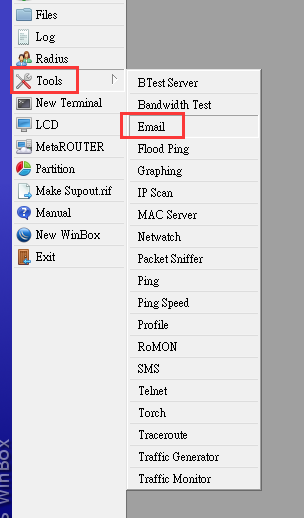
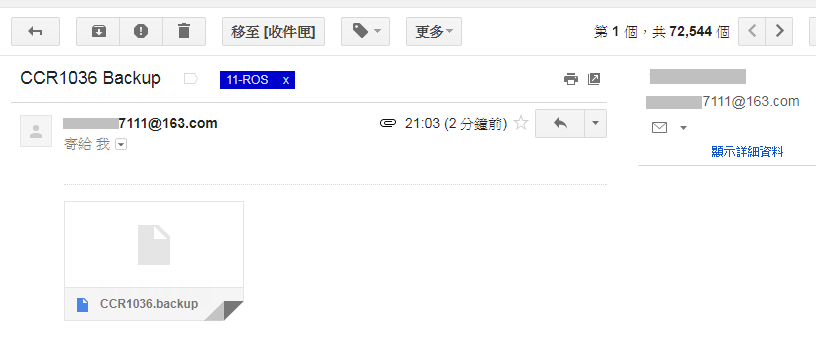
透過tool裡面的email這個功能,把機器定時備份的資料自動寄到指定的信箱保存備份。

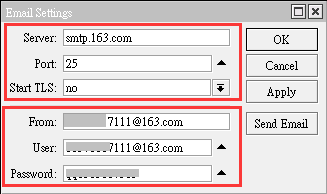
這裡需要設定發信伺服器的資料,可以使用gmail的帳號來發信.
底下為使用163.com的信箱發信

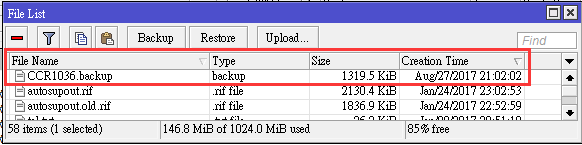
腳本運行之後會自動把機器的設定檔存下來在files裡面.如底下紅框位置.

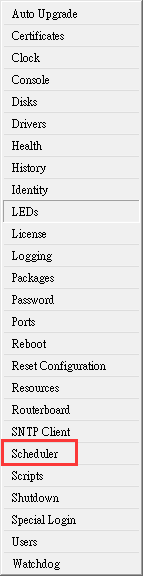
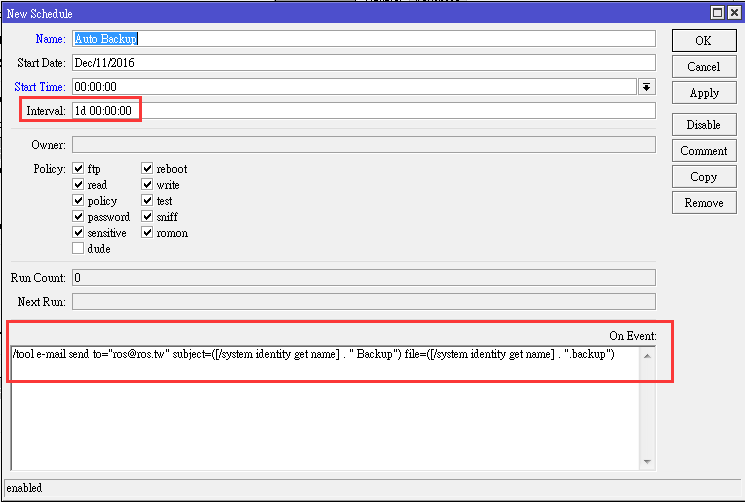
加入運轉的腳本排程

設定執行的次數,底下1d 就是指一天運行一次.

附上運行的scripts,請自行修改.
/system backup save name=[/system identity get name]
:delay 2
/tool e-mail set address=[:resolve smtp.163.com]
:delay 2
/tool e-mail send to=”[email protected]” subject=([/system identity get name] . ” Backup”) file=([/system identity get name] . “.backup”) server=[:resolve smtp.163.com]


此功能需要先將硬體加速功能關閉才能正常運轉。
首先設定二條撥接 pppoe-out1 跟 pppoe-out2
pppoe-out1 跟 pppoe-out2 的Add Default Route 不可以打勾 , 如下圖紅框.
如果你把Add Default Route都打勾了,會造成無法控制預設路由是由哪一條線出去.
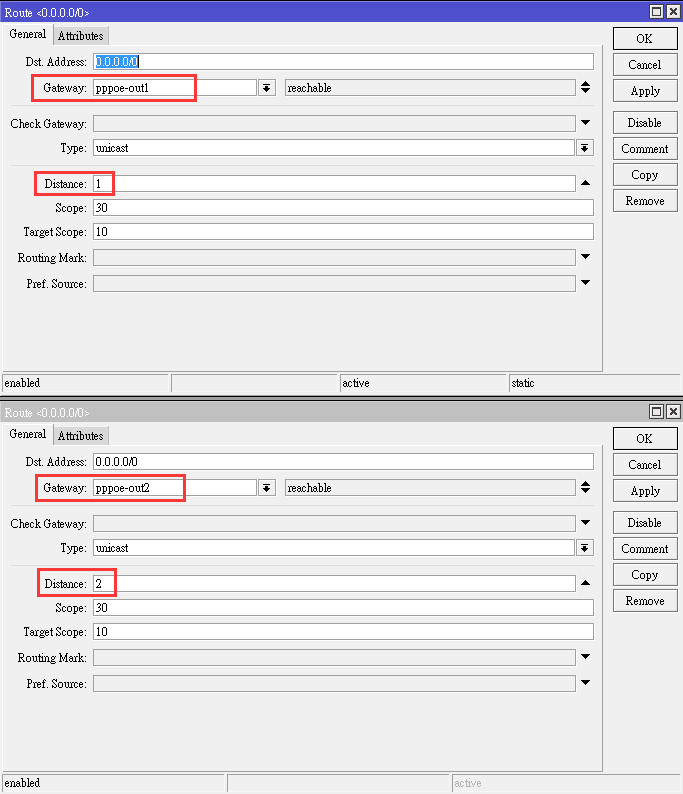
接著在/ip route 裡面增加底下設定 , Distance 設為 1 .
這樣pppoe-out1才能控制住當成預設路由.

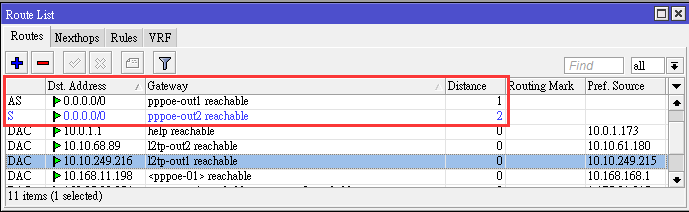
設好之後會像底下這張圖的紅色框一樣,第一行的 Distance 1 為最優先.
第二行藍色 Distance 2 為備用狀態, 當第一行的pppoe-out1 Distance 1 故障時,
藍色的 Distance 2 會自動接替上來變成預設路由.

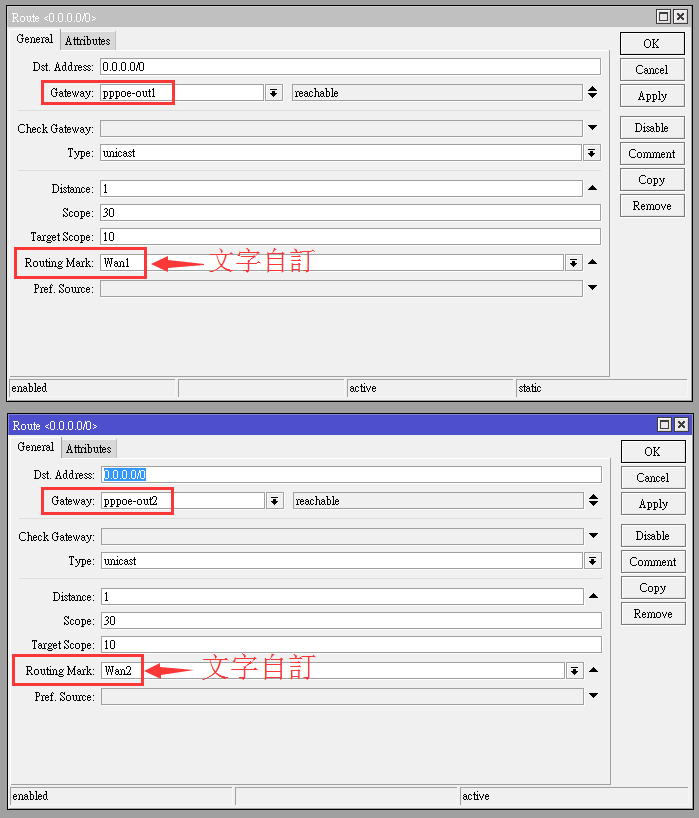
接下來設定第二條線(pppoe-out2)也能從外面連進來使用.
底下的第一張圖(pppoe-out1)其實不設也沒有關係,
因為pppoe-out1是 Distance 1 預設路由,不需要設定也會通.
但如果是做pcc負載平衡的話,底下第一張圖 就必須要跟著做.
底下的第二張圖(pppoe-out2) 一定要設才會通(照著圖片設定即可).

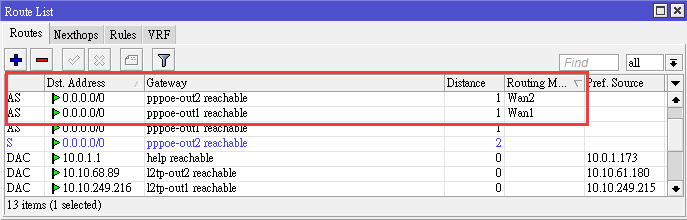
設好之後會像底下這張圖的紅色框一樣.

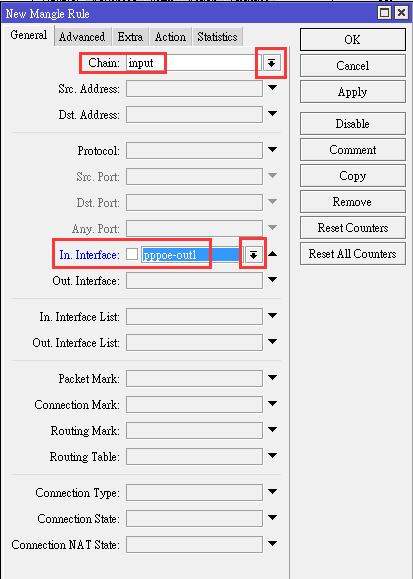
底下這四張圖 不設也沒有關係,剛剛有解釋過,
因為pppoe-out1是 Distance 1 預設路由,不需要設定也會通.


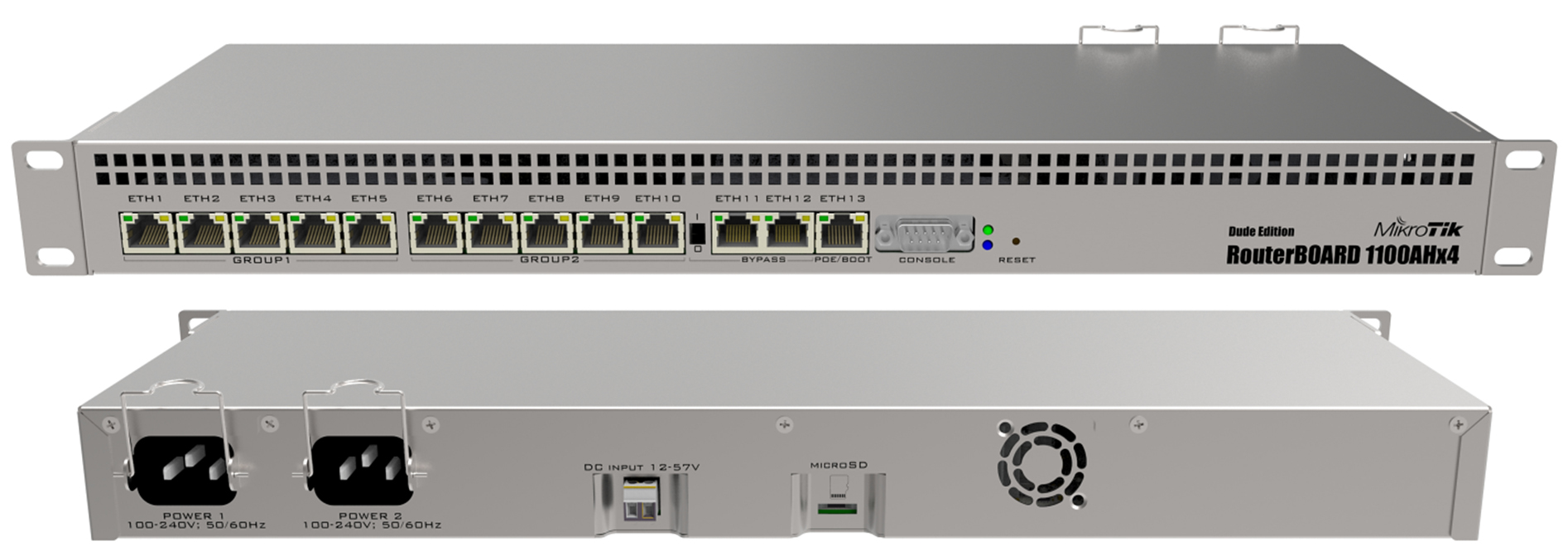
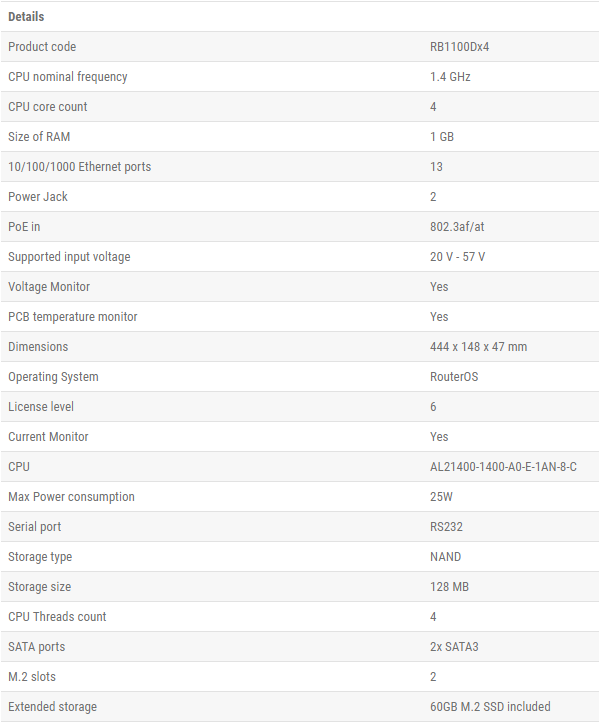
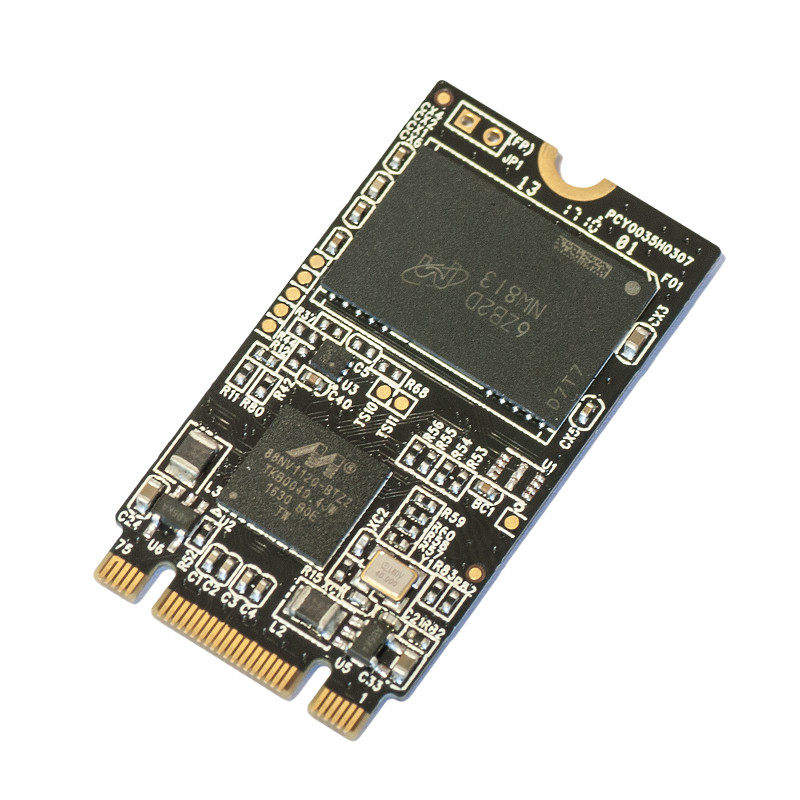
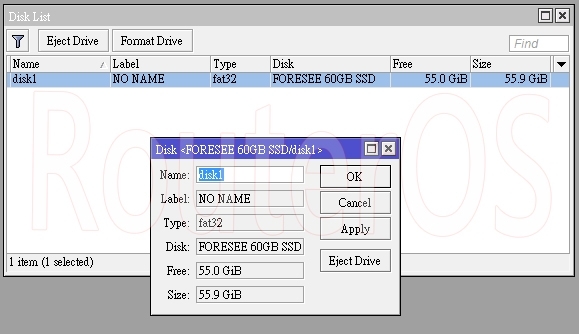
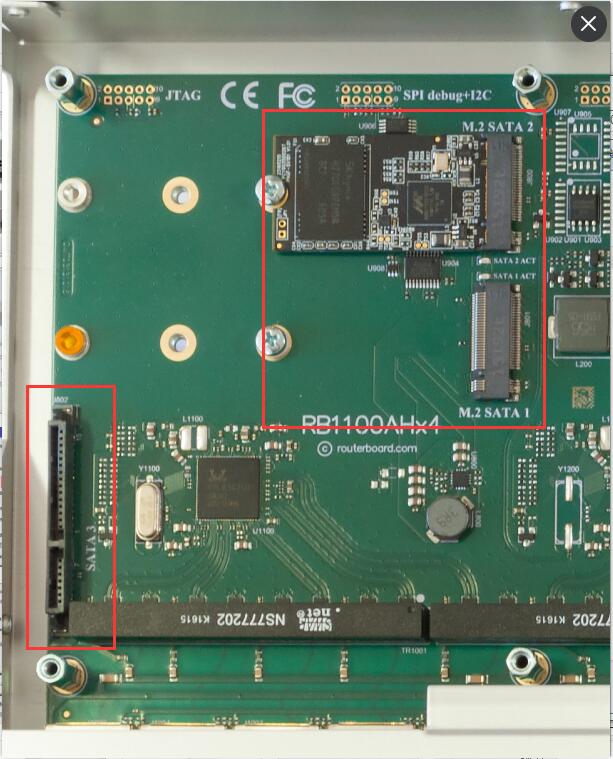
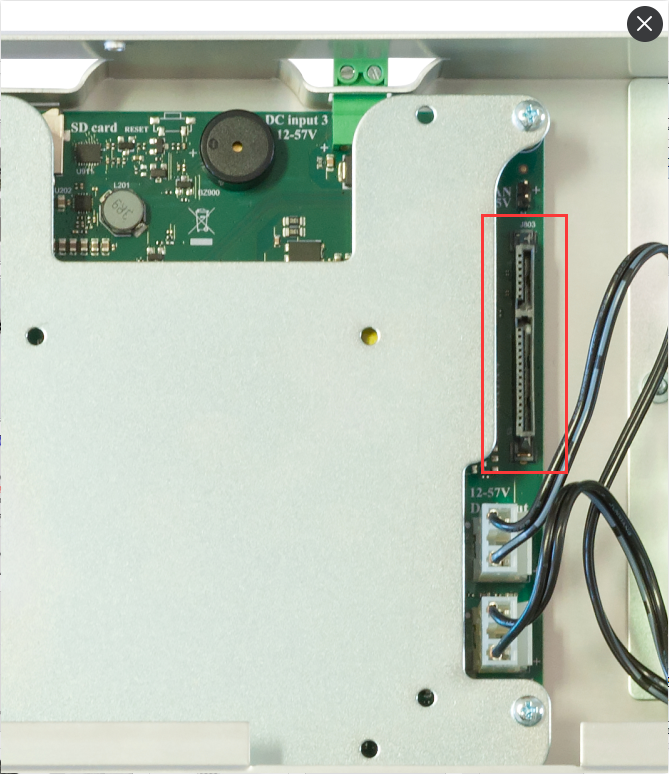
(機殼內有二組硬碟底座,總計可安裝二顆2.5吋硬碟)


https://wiki.mikrotik.com/wiki/Manual:CRS_examples#MAC_Based_VLAN
MAC Based VLAN
/interface ethernet set ether7 master-port=ether2
/interface ethernet switch port set ether7 allow-fdb-based-vlan-translate=yes
/interface ethernet switch mac-based-vlan add src-mac=A4:12:6D:77:94:43 new-customer-vid=200 add src-mac=84:37:62:DF:04:20 new-customer-vid=300 add src-mac=E7:16:34:A1:CD:18 new-customer-vid=400
/interface ethernet switch egress-vlan-tag add tagged-ports=ether2 vlan-id=200 add tagged-ports=ether2 vlan-id=300 add tagged-ports=ether2 vlan-id=400
https://scotthelme.co.uk/setting-up-https-on-the-unifi-cloudkey/
service unifi stop mv /etc/ssl/private/unifi.p12 /etc/ssl/private/unifi.p12.old openssl pkcs12 –export –in /etc/ssl/private/signed.crt -inkey /etc/ssl/private/rsa.key -certfile /etc/ssl/private/chain.crt –out /etc/ssl/private/unifi.p12 –name unifi –password pass:aircontrolenterprise mv /etc/ssl/private/unifi.keystore.jks /etc/ssl/private/unifi.keystore.jks.old keytool -importkeystore -srckeystore /etc/ssl/private/unifi.p12 -srcstoretype PKCS12 -srcstorepass aircontrolenterprise -destkeystore /etc/ssl/private/unifi.keystore.jks -storepass aircontrolenterprise